how it works
From the first concern to the evidence, in one record.
Descant follows a student’s support the way your team already works it — referral, triage, support, closure — and keeps the evidence as it happens, so nothing has to be rebuilt later.
True at every step
- One record per student, history kept
- Every staff member signs in; educators add through their portal
- People decide; the software drafts
- Every access to a student record is logged
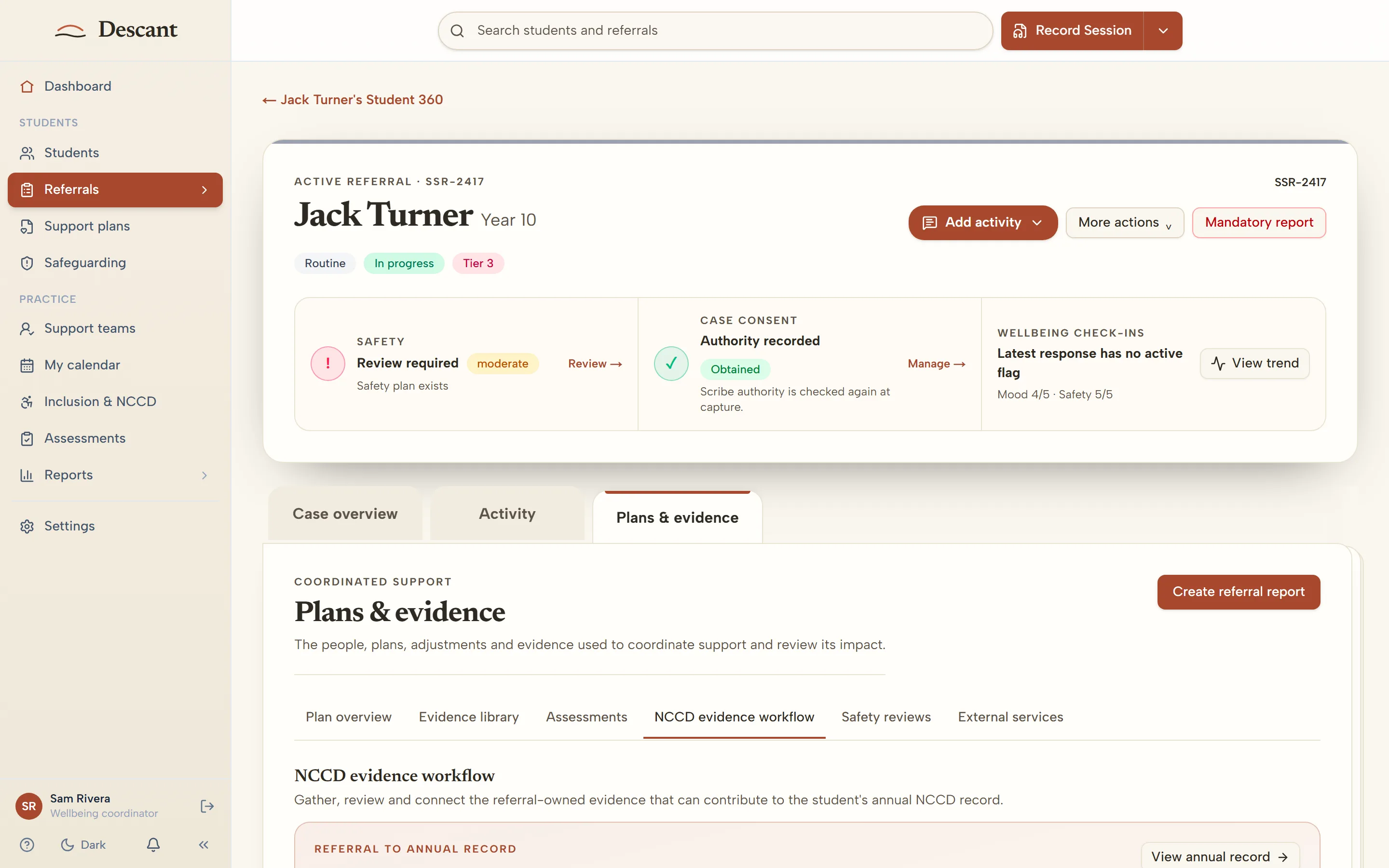
Five steps, one record
- 01Referral
A concern reaches the right people
Staff raise a referral or concern from the educator portal, marked routine or urgent, with the areas of support they're worried about; parents, carers and students use the school's secure referral form. It arrives with the student support team, not in someone's inbox.
- 02Triage
The team decides what happens next
New referrals are reviewed and triaged. Duplicates can be merged, and a referral that needs no further action can be closed with the reason recorded.
- 03Support
Support is allocated and recorded
The case is allocated to a staff member or waitlisted. Case notes, support plans and learning plans live on the student’s record — and the educators who see the student every day add their observations through the educator portal.
- 04Closure
Episodes close cleanly
When support ends, the episode closes. If the student needs support again, a new episode opens, linked to the last one — the history is kept, never overwritten.
- 05NCCD
The evidence is already there
Notes can be released as NCCD evidence and linked to each adjustment, so you can see which adjustments are evidenced and which have gaps — and produce a student’s evidence pack when you need it.
The part other tools leave to typing
The people who notice most are the educators in the room, and they rarely have time to write it up. With Descant they speak for two minutes through a link (or type, if your school has not added AI). The note is drafted, they check it, and it lands on the right student’s record with their name and the date.
Get what educators notice into the case file, attributed and on time.
Read more →NCCD evidence gathered as the adjustments happen, not before census.
Read more →See how support is running, without reading the case notes.
Read more →Questions schools ask
Something we haven't answered? Ask us and a person from the team will reply.
Ask a questionDo educators need a Descant account?
Yes. Every staff member signs in. Educator portal: any staff member signs in and adds observations or concerns about any student. They see only their own notes and when the support team has reviewed them, never the case. Staff sign in like the rest of the school team: a password (plus two-step verification if the school requires it), or Google/Microsoft.
Does Descant decide anything about a student?
No. It organises and drafts; people decide. It does not triage, diagnose, categorise a student or set a level of adjustment. Every AI-drafted note is reviewed by a person before it is used.
Who can see a student’s record?
Access follows each person’s role, and a referral is open to the people working on it. School leaders can be given the Reports page, which shows how the service is running; its downloads leave out student names.
How do notes become NCCD evidence?
A note is released as evidence deliberately — nominated by the case lead and approved by the right line manager — then linked to the adjustment it supports. Nothing becomes evidence automatically.
Can we bring our existing student list?
Yes. If your school system connects to Wonde (Sentral, Compass, XUNO and others), Descant syncs your student roll, classes, parent and carer contacts, attendance and behaviour summaries automatically, at no extra cost. If not, you can add students yourself.
See Descant with your school in mind
Tell us a little about your school and we'll show you how it would work for your team.
- A made-up school like yours to explore for 14 days
- We check each request by hand and reply within two school days
- Made-up students only: no real student information needed
Prefer email? Write to [email protected].
(03) 4422 2284: answered any time by Descant's AI receptionist, which keeps a written record of the call. Please don't share student details. Our team replies within two school days.