School Consent Forms: Digital Signing and State-by-State Compliance
Published 8 min read
What a school wellbeing consent form should cover in each Australian state and territory, and how digital parent consent works: emailed consent links, more than one guardian, a typed-name declaration and a signed PDF on the student's record. Designed for Australian school wellbeing teams.
- School Counsellors
- School Psychologists
- Wellbeing Officers
- Education
- Compliance
On this page
Summary
Descant can collect parent and carer consent digitally. Staff send a consent link by email, each guardian opens it on their own device, reads the form and signs with a typed-name declaration, and the signed consent is saved as a PDF on the student's record. You can send consent to more than one guardian. Digital consent is switched on for each school when it is needed (it is off by default). This article also sets out what a school wellbeing consent form usually needs to cover, and the legislation each Australian state and territory typically references, so you can check your form before it goes digital.
The Consent Problem in Schools
Consent management in school wellbeing is surprisingly complex. A school counsellor cannot simply start seeing a student — they need informed consent from a parent or guardian that covers:
- What services will be provided and by whom
- How information will be handled and stored
- Who information may be shared with (within the school team, with external professionals, with government agencies)
- The school's obligations under mandatory reporting legislation
- The parent's rights to withdraw consent or access records
- State-specific privacy legislation that governs the school
Most schools handle this with a Word document or PDF that was written years ago, may not reflect current legislation, and is distributed as a paper form that travels home in a student's bag — and may or may not come back.
Digital consent in Descant deals with the part that most often goes wrong: getting the form to every guardian who needs to see it, and getting a signed, dated copy back onto the student's record.
Start with the Form You Already Have
Your consent wording belongs to your school, and often to your sector or system. Descant does not write it for you, generate it, or fill in legislation automatically. What it does is carry your consent to families and bring the signed result back to the record.
Before you switch to digital consent, it is worth reviewing your existing form:
Check it is current. Legislation names, reporting authorities and complaints bodies change. A form written five years ago may name an agency that has since been renamed or restructured.
Check it matches your team. If your school now has a psychologist, a speech pathologist or a youth worker who was not on staff when the form was written, the form should describe what each of them does.
Check it covers how records are kept. If staff use AI-assisted note drafting, the consent form should say so. For some schools it is a requirement, not a choice. Victorian government schools, for example, follow the Department of Education's Generative Artificial Intelligence policy (page updated 28 September 2026), which says schools "must obtain opt-in consent from parents and carers before using any generative AI tool" that needs personal information beyond a school email and password. The Department's consent guidance (updated 9 July 2025) also says opt-in consent must be used when software collects health or wellbeing information. Catholic and independent schools set their own rules, so check your sector's guidance.
Descant has a school setting for this: when it is on, AI does not process a student's information until a parent or carer's opt-in consent is recorded. A school can also switch AI features off altogether.
Check it reads well on a phone. Many parents and carers will open the consent link on a phone. Short sections with clear headings are easier to read and understand on a small screen than a dense two-page document.
Can we upload our existing PDF consent form?
Yes, alongside the digital process, though this is coming and not available yet. Schools will be able to upload their own consent forms and policy documents, such as wellbeing and inclusion policies, as PDFs. Families will read each one online through the secure link and sign or acknowledge it, and the signed copy will be saved to the student's record. No AI reads the documents.
Today, families receive a consent request for student support services, and the signed result comes back to the student's record as a PDF. If your school needs its own wording now, talk to us about it, and check your current form against the points above first.
What a School Consent Form Should Cover
Whatever its format, a school wellbeing consent form usually covers the following. Use this as a checklist when reviewing your own form:
- Student details — name, year level and relevant background
- Parent/carer details — contact information for each consenting guardian
- About the service — the wellbeing services provided, described for your school's team
- Privacy and information handling — how student information is collected, stored and managed, under your state's privacy legislation
- How records are written — including any use of AI-assisted note drafting, and the family's choice to opt in where your sector requires it (Victorian government schools need opt-in consent)
- Your rights — the right to withdraw consent, access records and make a complaint, with the complaints body for your state
- Services available — what each member of the team can offer
- Information sharing within the team — consent for sharing between wellbeing team members, if you have a multi-disciplinary team
- External professional sharing — consent for communication with GPs, paediatricians, NDIS providers, mental health services and other external professionals
- Consent declaration — the formal statement the guardian agrees to
- Changes to consent — how a family can change or withdraw consent later
- For school use only — internal fields the school completes
State-Specific Legal Content
Each state and territory has its own privacy, mandatory reporting and information-sharing legislation, and a consent form should reference the right ones for your school. The table below shows the kind of references a form typically includes, using Victoria and New South Wales as examples:
| Content | Example (VIC) | Example (NSW) |
|---|---|---|
| Privacy legislation | Health Records Act 2001 (Vic) | Health Records and Information Privacy Act 2002 (NSW) |
| Mandatory reporting act | Children, Youth and Families Act 2005 | Children and Young Persons (Care and Protection) Act 1998 |
| Reporting authority | DFFH Child Protection | Department of Communities and Justice |
| Information sharing scheme | FVISS/CISS | Chapter 16A |
| Record retention | Minimum 7 years or until student turns 25 | Minimum 7 years or until student turns 25 |
| Complaints body | Health Complaints Commissioner | Privacy Commissioner / HCCC |
| Generative AI (government schools) | Department of Education Generative Artificial Intelligence policy: opt-in consent from parents and carers | Check your sector's guidance |
Queensland, South Australia, Western Australia, Tasmania, the Northern Territory and the ACT each have their own equivalents. Government, Catholic and independent schools may also have sector-specific requirements. Check your form's references with your sector, and seek legal advice where you are unsure. Descant sends the form you provide; it does not check or update the legislation in it.
Digital Parent Signing
Once digital consent is switched on for your school, the signing process works like this:
- Send — a staff member sends a consent link to the guardian's email address
- Review — the guardian opens the link on their phone, tablet or computer, confirms their identity by entering the student's date of birth, and reads the form at their own pace
- Sign — the guardian types their full name to a declaration and chooses whether or not they consent
- Record — the signed consent is saved as a PDF on the student's record
When more than one guardian needs to consent, you can send a link to each of them (up to four people), and each guardian signs for themselves. You choose whether everyone listed must sign or a set number of them. Each link can be used once and expires after 21 days.
Because the signed consent is a PDF on the student's record, the support team can find it when they need it — at the start of support, at a review, or when a family asks what they agreed to.
Consent Lifecycle Management
Consent does not end at signing, but how long it lasts and when it should be renewed are decisions for your school, not the software. Descant does not set an expiry date on consent or stop staff from working with a student when consent is old. The exception is AI: if your school turns on the setting that requires parent or carer consent for AI, AI does not process a student's information until that consent is recorded.
What it does give you is a dated record. Each signed consent PDF shows who signed and when, so when your policy says consent should be refreshed — at the start of each year, when a student changes school level, or when your team changes — you can see which consents were given and when, and send new links to the families who need them.
Some schools use whole-school (blanket) consent: the school announces it to its community, and families who do not want it opt out. Support for recording blanket consent is coming and is not available yet.
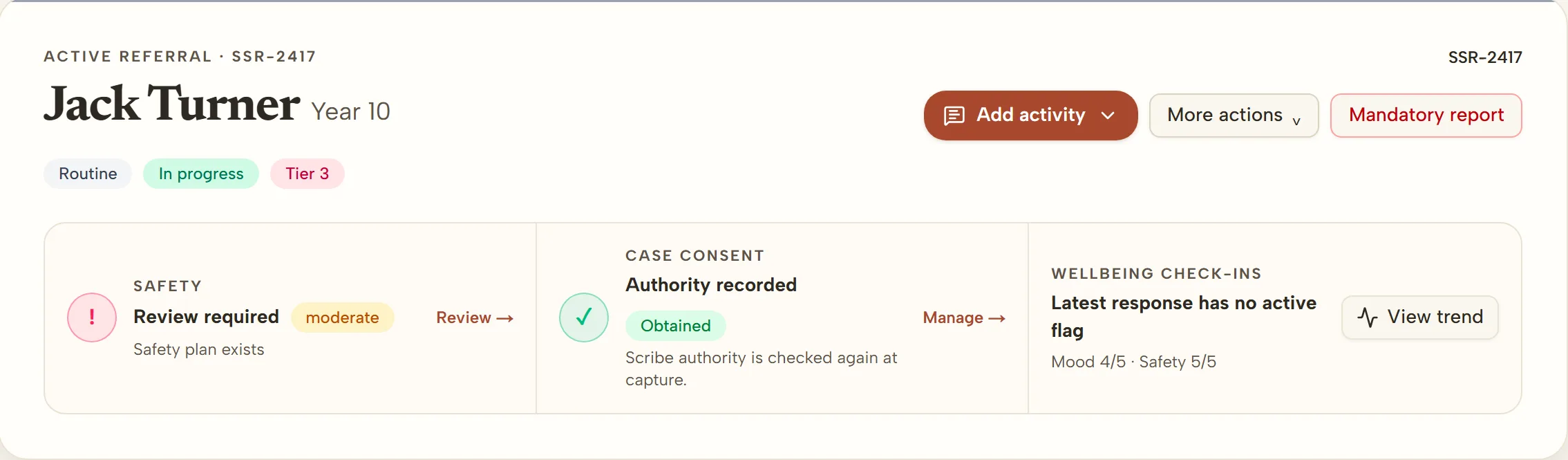
If a family withdraws or changes their consent, staff record the change on the student's case, and the case lead is flagged to review the support in place, in line with your school's policy.
From Paper to Digital
For schools currently using paper consent forms, the transition is straightforward:
- Review your existing form — use the checklist above and check the legislation references for your state
- Ask us to switch digital consent on — it is set up for your school when you need it
- Send consent links by email — instead of sending paper forms home in school bags
- Keep a paper option — for families who prefer paper, keep using your current process and file the signed form as your school does now
Parents and carers who are comfortable signing online can usually complete the process in a few minutes, on their own device, without printing, scanning or returning anything.
Getting Started
Digital parent consent is available to schools using the Student Support Platform and is switched on for each school when it is needed. Get in touch and we will set it up with you, or visit For Schools to learn more.
Digital consent is a document and workflow tool. Legal references in this article are general guidance that was current at the time of writing. Schools should verify all legislative references against current legislation and seek legal advice where required.